

How to Troubleshoot AC Issues Quickly Before Calling a Pro
Before You Call a Technician: What Every Homeowner Should Check FirstAC troubleshooting before calling a pro can save you time, stress, and an unnecessary…
Before You Call a Technician: What Every Homeowner Should Check First
AC troubleshooting before calling a pro can save you time, stress, and an unnecessary service visit — and most cooling problems trace back to just a handful of simple issues you can check yourself in under 20 minutes.
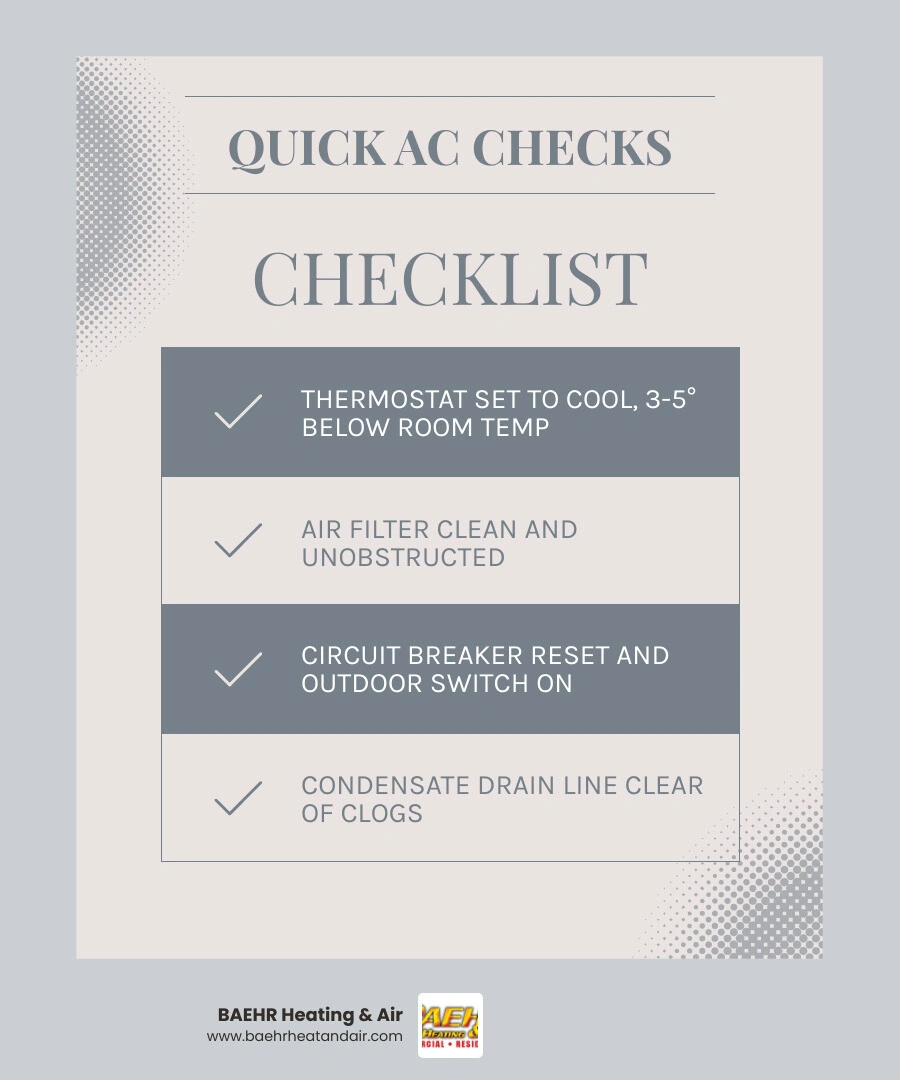
Here are the most common AC fixes homeowners can handle on their own:
- Check the thermostat — Make sure it's set to COOL mode and at least 3–5 degrees below room temperature
- Inspect the air filter — A clogged filter is the single most common cause of AC problems; replace it if light can't pass through
- Reset the circuit breaker — Flip it fully off, wait 30 seconds, then back on
- Check the outdoor disconnect switch — It may have been bumped off accidentally
- Clear the condensate drain line — A clog can trigger a safety shutoff that mimics a full system failure
If none of those fix it, then it's time to call a licensed HVAC technician.
Think about it: nine times out of ten, a central air unit that isn't cooling well has a dirty filter or a simple power issue — not a failed compressor. Yet thousands of homeowners call for emergency service every summer before checking the basics first.
That's a frustrating (and avoidable) situation. A few quick checks around your home can either solve the problem outright or at least help your technician diagnose it faster when they arrive.
This guide walks you through every safe DIY step — in plain language, in the right order — so you know exactly what to check, what to skip, and when to stop and call a pro.
Safety Precautions and Quick Power Checks: AC Troubleshooting Before Calling a Pro
Before we dive into the physical components of your system, let's establish some ground rules for safety. Your home's air conditioning system runs on high-voltage electricity and relies on sensitive mechanical parts. While basic ac troubleshooting before calling a pro is highly encouraged, safety must always come first.
Before you touch any electrical panels or open up parts of your unit, make sure you have the following basic tools ready:
- Safety goggles to protect your eyes from dust and flying debris
- Work gloves to shield your hands from sharp metal cabinet edges and condenser fins
- A standard screwdriver (both Phillips and flathead) for securing loose control panels
- A reliable flashlight to inspect dark crawlspaces, closets, or the outdoor unit's electrical disconnect box
Safety is paramount: always shut off the power to your unit before performing any physical inspections. Air conditioners are high-power appliances, and rushing into an electrical check without turning off the source is a major hazard. If you want to learn more about the complete process, check out our guide on How Do You Troubleshoot an Air Conditioner? to keep your diagnosis safe and structured. If your unit refuses to show any signs of life at all, read our detailed steps to Fix an AC That Won't Turn On.
Thermostat and Power: AC Troubleshooting Before Calling a Pro
It might sound overly simplistic, but you would be amazed at how many service calls end up being resolved by simply flipping a switch on the thermostat. A guest, a child, or an accidental bump can easily change your system's settings without your knowledge.
When your home starts warming up, walk over to your thermostat and perform these quick checks:
- Verify the Mode: Ensure the system is set to "Cool" or "Cooling." If it was accidentally switched to "Heat," "Fan Only," or "Auto," your compressor won't kick on to deliver chilled air.
- Check the Temperature Setpoint: Set the thermostat at least 3 to 5 degrees below the current room temperature. This triggers the system to call for cooling. Setting it extremely low will not make the home cool down any faster; it only strains the system.
- Inspect the Batteries: If your thermostat has a blank or fading digital screen, replace the batteries immediately. Many modern thermostats run on battery power, and when those batteries die, the thermostat can't send the signal to start your air conditioner.
- Examine the Fan Settings: Keep your fan set to "Auto" rather than "On." When set to "On," the indoor blower runs continuously, even when the outdoor unit isn't cooling. This can blow humid air right back into your living spaces, negating the dehumidification benefits of your AC.
Resetting the Circuit Breaker and Outdoor Disconnect Switch
Your air conditioner is a heavy-draw appliance. During the peak of a hot Northern California summer in Auburn or Rocklin, your system works incredibly hard to keep your home comfortable. This high electrical load can occasionally cause your circuit breaker to trip.
To check your electrical panel, locate your home’s main breaker box. Look for breakers labeled "AC," "Air Conditioner," or "HVAC." A tripped breaker won't always be completely flipped to the "Off" position; it often hovers somewhere in the middle.
To reset it safely:
- Push the breaker completely to the "Off" position first.
- Wait about 30 seconds.
- Switch it firmly back to the "On" position.
Note: If the breaker trips again immediately, do not attempt to reset it a second or third time. This indicates a serious electrical fault, a failing capacitor, or a compressor issue. Repeatedly resetting a tripping breaker can lead to electrical fires or permanent equipment damage.
Next, head outside to your condenser unit. Mounted on the exterior wall of your home near the unit is an outdoor disconnect box (sometimes called a pull-out or safety switch). This box is designed to cut power to the outdoor unit during professional servicing. Sometimes, yard work, a stray branch, or an accidental bump can push this switch to the "Off" position. Ensure the disconnect plug is firmly inserted and the switch is turned to "On."
Airflow, Drainage, and Outdoor Unit Maintenance
Good airflow is the lifeblood of your air conditioning system. When airflow is restricted, your system has to work twice as hard to cool your home, driving up your energy bills and putting immense strain on internal components. In fact, restricted airflow is the primary driver behind most common cooling failures. For a deeper look into these issues, read about the 8 Most Common AC Problems.
Airflow and Filter: AC Troubleshooting Before Calling a Pro
We cannot emphasize this enough: a dirty air filter is the single most common cause of HVAC issues. When a filter becomes packed with dust, pollen, pet dander, and wild-land dust common in regions like Grass Valley and Nevada City, it chokes the system's airflow.
When airflow is restricted, the cold air produced by your evaporator coil cannot escape into your home. This causes the temperature around the coil to drop below freezing, turning any condensation on the coil into solid ice. Once the coil freezes, your AC stops cooling altogether.
- How often should you inspect your filter? You should inspect your filter every 30 days during peak cooling season.
- How often should you replace it?
- 1-inch pleated filters: Replace every 30 to 60 days (or every 21 days if you have pets or live in a dusty area).
- 2-inch filters: Replace every 3 months.
- 4-to-5-inch media filters: Replace every 6 to 12 months.
- Checking your filter: Pull the filter out and hold it up to a light source. If you cannot see light passing through the fibers, it is completely clogged and needs to be replaced.
- Airflow Direction: When sliding your new filter in, make sure the arrows printed on the frame point in the direction of the airflow (toward the furnace or blower unit, not away from it).
Additionally, make sure your indoor supply registers and return air grilles are completely open and unobstructed. It's a common mistake to close vents in unused rooms to "save energy," but this actually increases pressure within your ductwork, leading to air leaks and motor strain. Ensure furniture, curtains, and rugs aren't blocking any vents.
Clearing a Clogged Condensate Drain Line and Frozen Coils
Your air conditioner doesn't just cool the air; it also removes moisture. As warm indoor air passes over the cold evaporator coil, water vapor condenses on the metal and drips into a drain pan below. From there, it flows outside through a PVC condensate drain line.
Over time, algae, mold, and dust can build up inside this line, causing a clog. Because water leaks account for nearly 90% of all central air service calls, modern AC systems are equipped with a safety device called a float switch. If the water in the drain pan backs up, the float switch rises and automatically cuts power to your entire system to prevent water damage to your ceilings and floors.
If you suspect a clogged drain line:
- Locate your indoor air handler and check the drain pan. If you see standing water, your line is clogged.
- Use a wet/dry vacuum on the outdoor exit of the drain line. Wrap a towel around the connection to create a tight seal and run the vacuum for a few minutes to suck out any built-up algae or sludge.
- Prevent future clogs by pouring a quarter-cup of white vinegar down your drain line's indoor access port every few months during the cooling season.
If your evaporator coil is frozen (indicated by ice on the brass refrigerant lines outside, weak airflow, or water pooling as the ice melts), turn the system off immediately at the thermostat. Switch the thermostat fan setting to "On" or "Fan Only" and let it run. This uses the indoor fan to blow warm air over the coil, melting the ice safely. It can take 4 to 6 hours for a frozen coil to thaw completely. Do not restart the cooling cycle until the ice has melted and you have replaced your dirty air filter.
Cleaning the Outdoor Condenser Unit Safely
The outdoor unit (the condenser) is responsible for releasing the heat collected from inside your home. If the metal fins on this unit are covered in grass clippings, leaves, dirt, or dust, the heat gets trapped, and your AC will run continuously without cooling your home.
To clean your outdoor unit safely:
- Shut off the power at the outdoor disconnect box.
- Clear away any vegetation. Maintain at least a 2-to-3-foot clearance radius around the entire unit, and prune back any overhanging branches up to 5 feet above it.
- Remove loose debris like leaves and twigs from the top and sides of the cabinet.
- Gently spray the coils with a garden hose. Spray from the inside out or at a downward angle to wash away dirt.
Warning: Never use a pressure washer to clean your condenser coils. The high-pressure stream will instantly bend and damage the delicate aluminum fins, permanently restricting airflow and requiring professional repair.
Knowing When to Repair vs. Replace Your AC System
At some point, troubleshooting simply isn't enough. If your system is reaching the end of its useful lifespan, continuing to patch it up with repairs might not make financial sense. Most central air systems last between 15 and 20 years. If your unit is over 12 to 15 years old and experiencing frequent issues, it may be time to consider a modern, high-efficiency upgrade.
When you are weighing your options, our team at BAEHR Heating & Air is here to help you evaluate your system's condition. You can explore our Professional AC Repair Services to schedule an expert inspection or discuss replacement options tailored to your home.
Here is a quick comparison table to help you evaluate whether to repair or replace your system:
| Factor | Consider Repairing | Consider Replacing |
|---|---|---|
| System Age | Under 10 to 12 years old | Over 12 to 15 years old |
| Repair Frequency | Rare, occasional minor issues | Frequent breakdowns, compounding issues |
| Energy Efficiency | Utility bills remain steady and reasonable | Utility bills are rising dramatically |
| Refrigerant Type | Uses modern, environmentally friendly R-410A | Uses phased-out R-22 refrigerant |
| Component Health | Major parts (compressor, coils) are healthy | Compressor or major coil failure has occurred |
Frequently Asked Questions About AC Troubleshooting
What unusual noises or smells indicate a serious AC problem?
You should stop DIY troubleshooting and turn off your system immediately if you hear loud grinding, screeching, or banging noises, which indicate motor bearing failure or loose internal parts. Additionally, if you notice a burning or electrical odor, shut off the power at the breaker panel immediately, as this signals an active electrical fault or overheating wires.
Why is my AC running but not blowing cold air?
The most common causes are a severely clogged air filter or a dirty outdoor condenser unit. If both of these are clean and cleared of debris, your system may have a refrigerant leak, a failing run capacitor, or a compressor issue that requires professional diagnostic equipment.
Can I recharge my AC refrigerant myself?
No. Federal EPA Section 608 regulations strictly prohibit unlicensed individuals from handling, purchasing, or charging chemical refrigerants. Doing so without proper training and equipment is illegal, poses severe safety and environmental hazards, and will instantly void your manufacturer's warranty.
Conclusion
Taking a few minutes to run through basic ac troubleshooting before calling a pro is a smart way to rule out simple power, thermostat, and airflow issues. By keeping your filters clean, your drain lines clear, and your outdoor condenser free of debris, you can prevent most mid-summer breakdowns.
However, when DIY troubleshooting reaches its limits, you don't have to navigate it alone. At BAEHR Heating & Air, our customer-first team is dedicated to keeping Northern California homes comfortable all year long. For complete peace of mind, we offer a comprehensive annual maintenance membership covering two precision tune-ups per system to catch up to 90% of potential issues before they turn into emergencies.
If your home in Auburn, Rocklin, Grass Valley, or any of our surrounding communities is still feeling too warm after checking the basics, check out our guide on AC Repair Troubleshooting Before Calling a Pro or contact us today to schedule a prompt, professional service visit!
Ready to breathe easy?
Schedule service or request a free estimate. Honest assessments and upfront pricing on every visit across Nevada County.